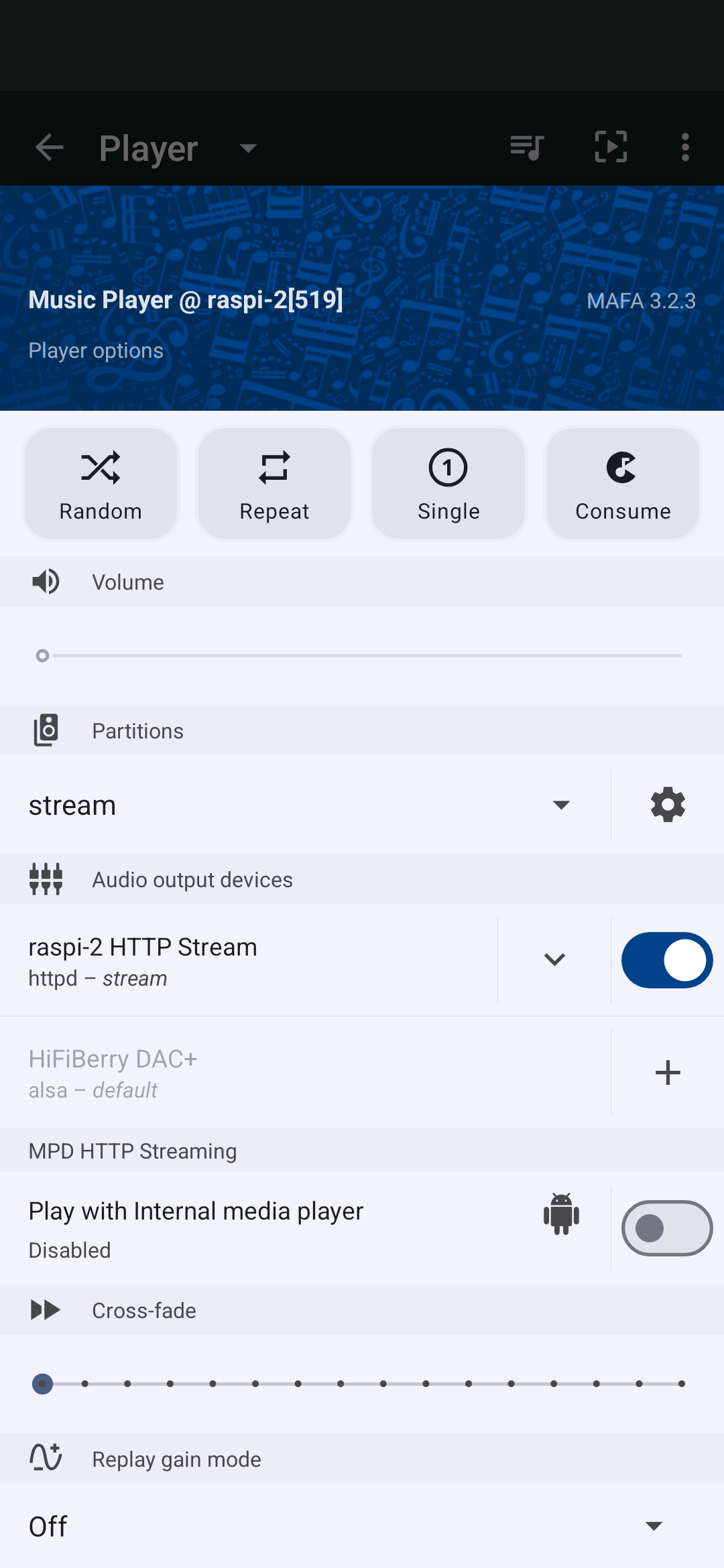
I’m having trouble using an external player on Android with VLC and MAFA 3.23. I have “Play with internal media player” disabled. In VLC I select “New stream” and enter the name of the server as shown in MAFA and I get “Multiple media cannot be played” error message. I’ve tried many variants of the mpd device name and address.
What am I doing wrong?
Also, VLC is overkill for my needs. What other android music players work with MAFA?
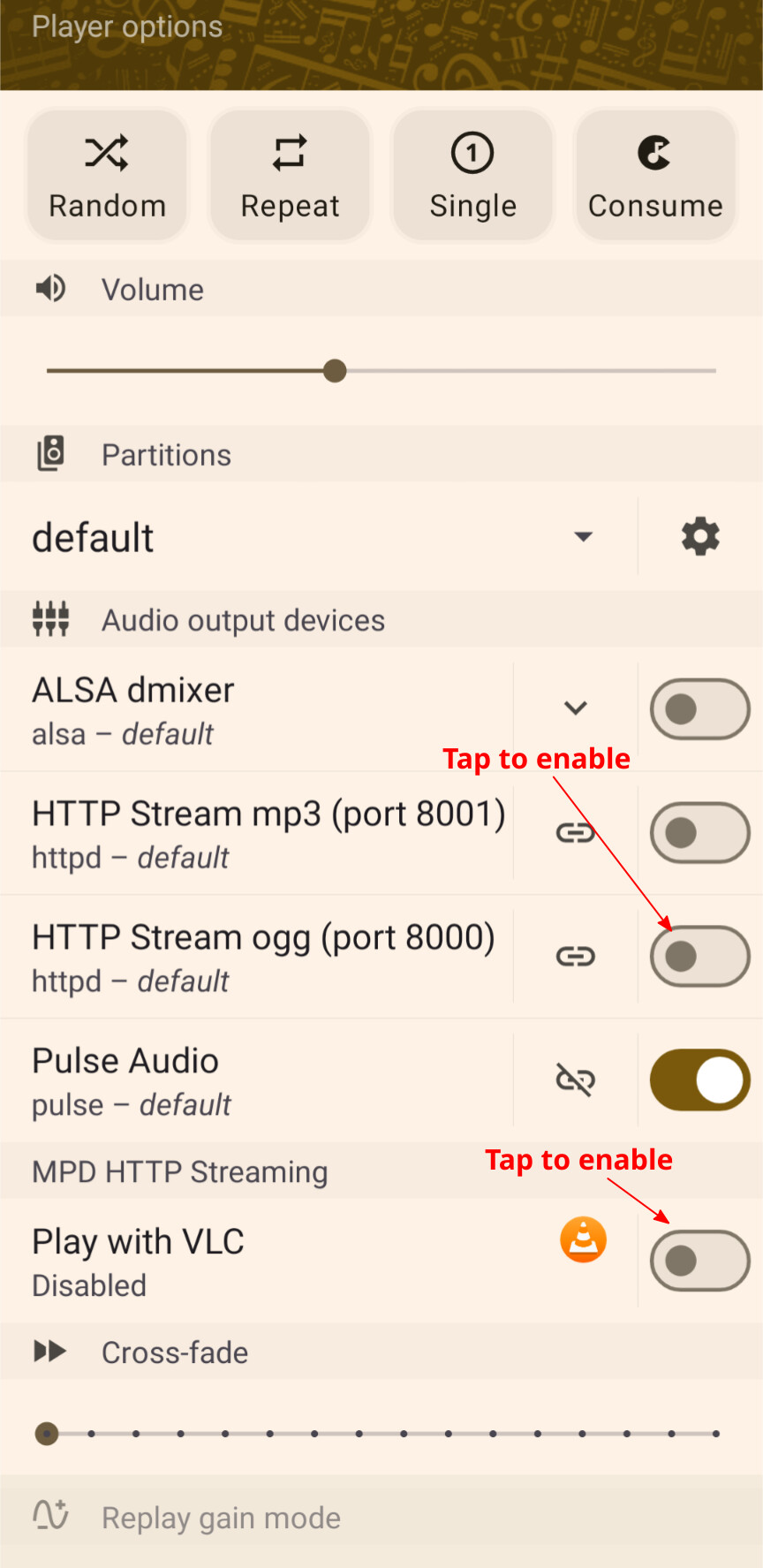
In order for playback to work on the device you first need to configure HTTP streaming output in your MPD configuration.
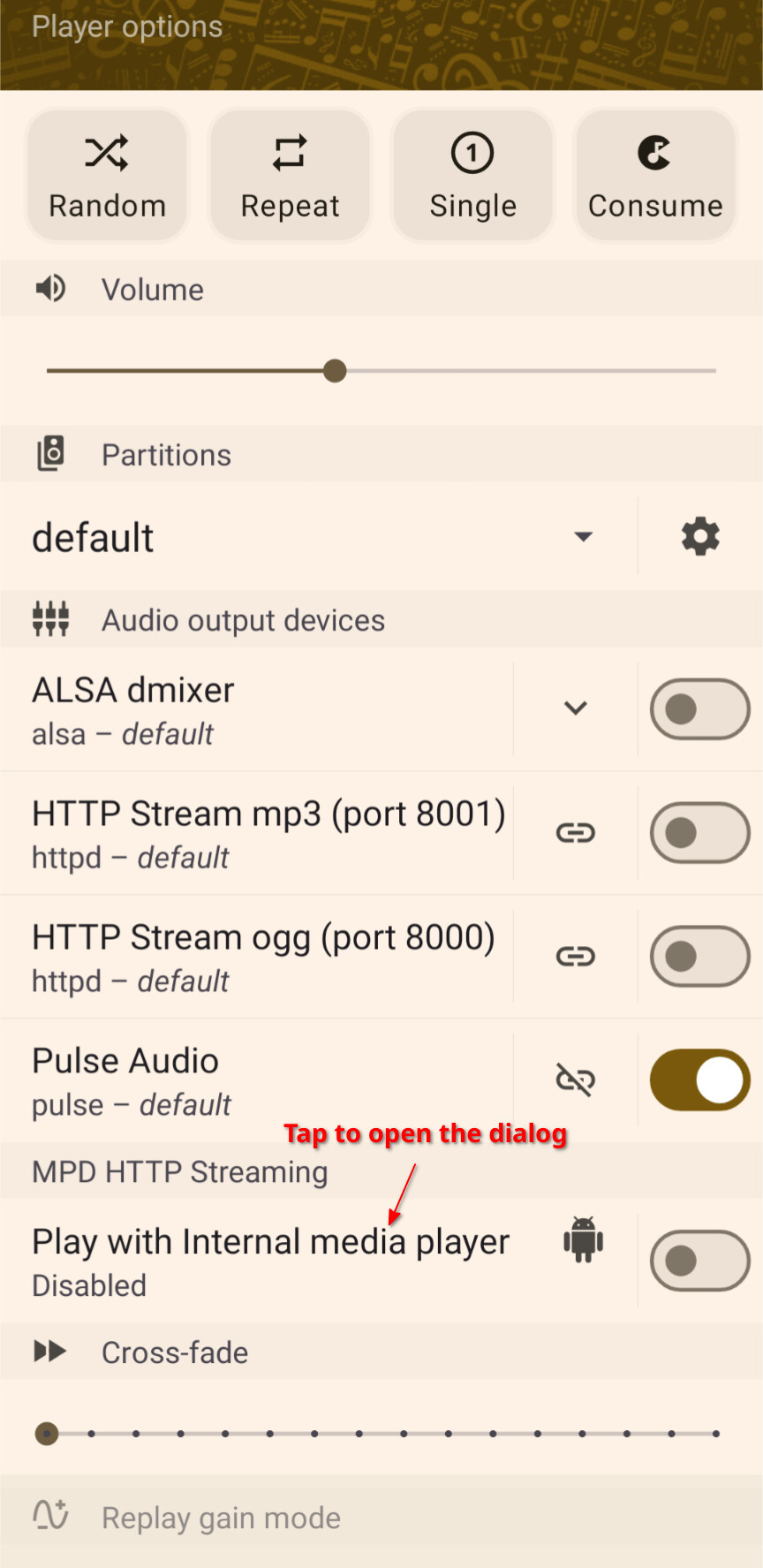
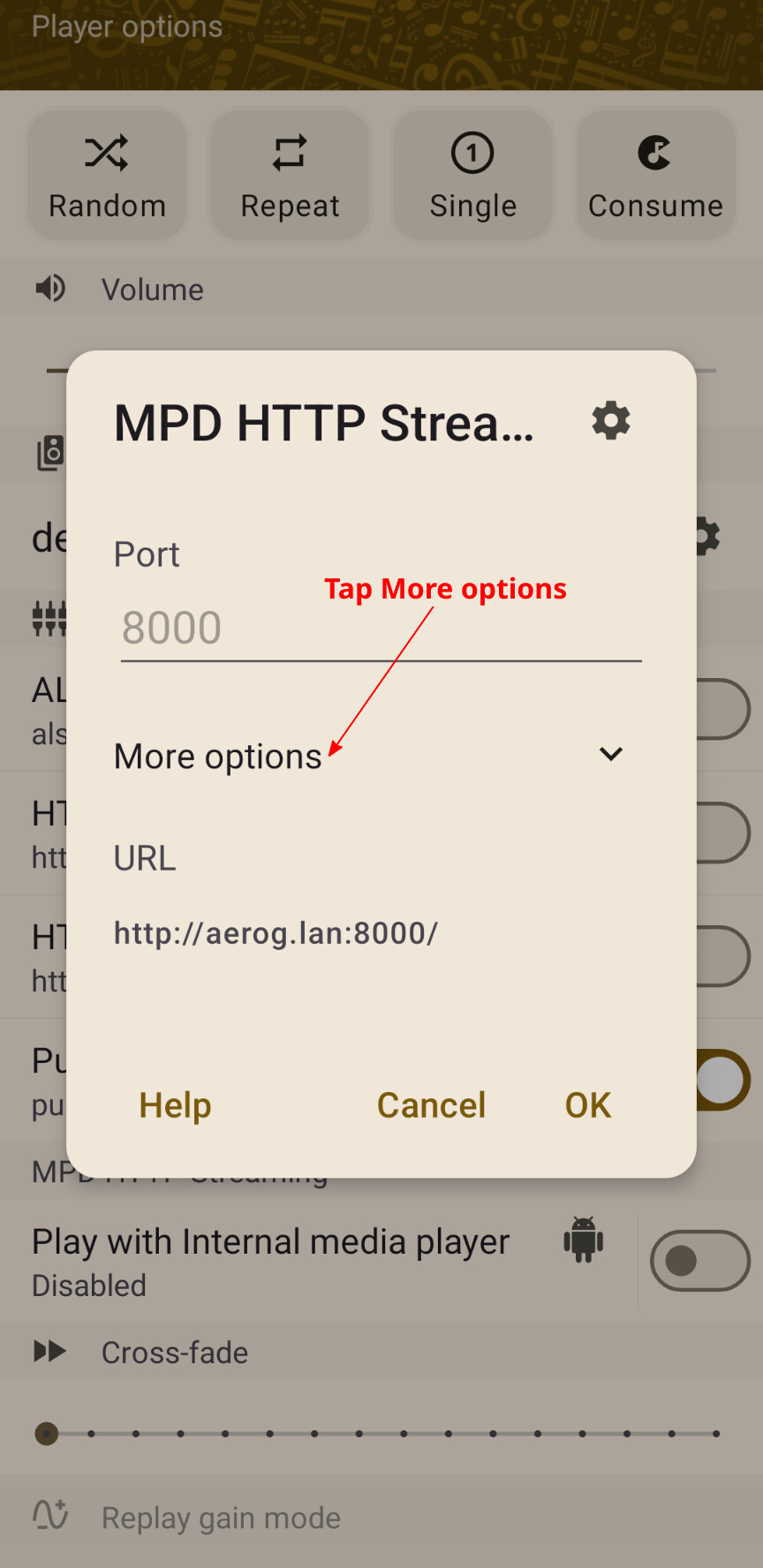
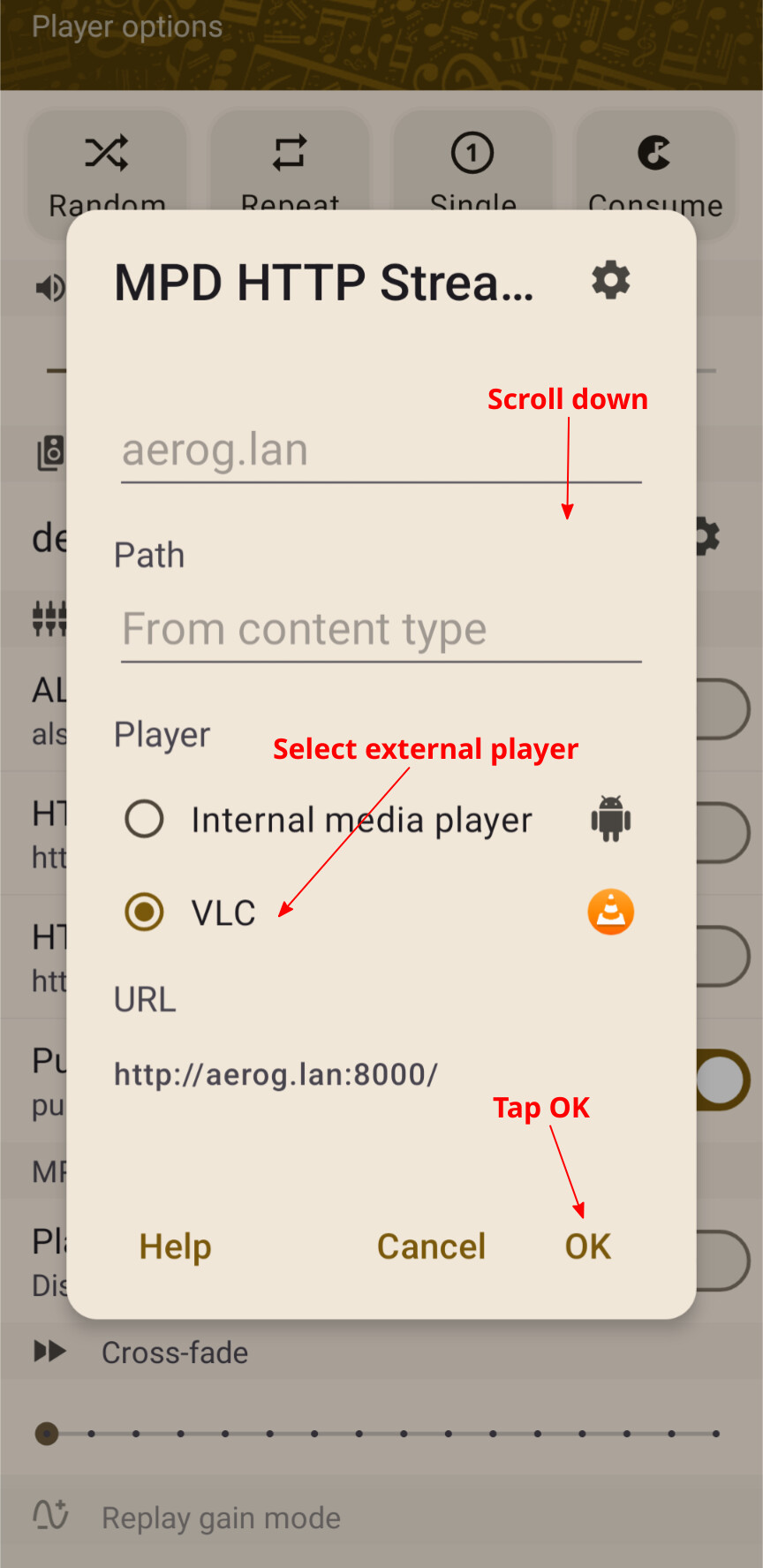
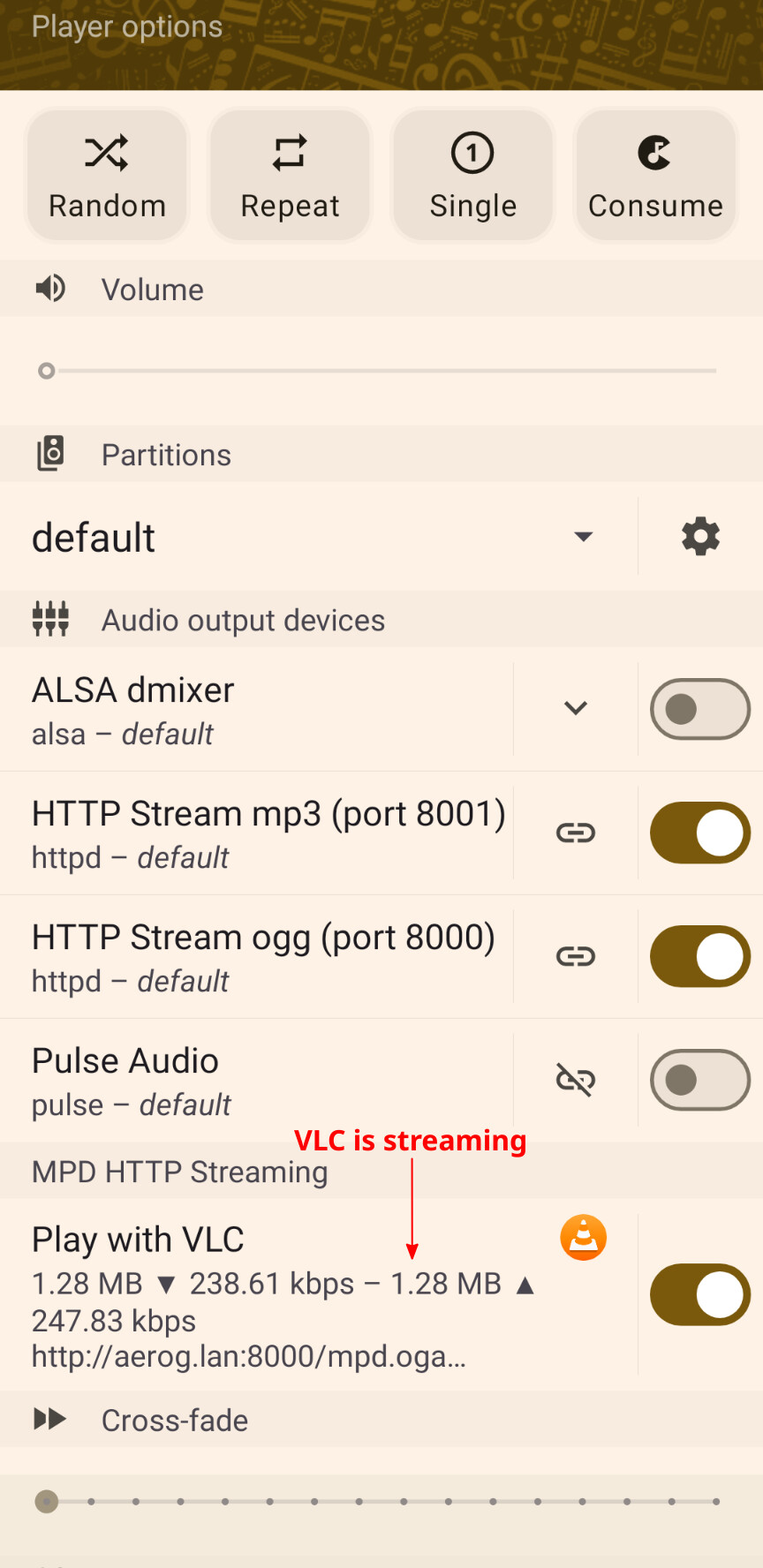
Then in MAFA, enable the MPD HTTP Streaming player option and from the dialog enable the output and select the internal or external player.
Tap the "Play with … " item to open the dialog, and tap on the switch on the right hand side to enable/diable local playback.
Any app that’s installed on the device and declares itself as accepting HTTP URL with content type “audio/*” will be available for selection as an external player (they may not necessarily be music players or support the stream type, so you’d have to try. VLC is tested to be working).
HTTP streaming is configured on my raspberrypi. In MAFA I only see two audio output devices - see attached. I see the HTTP stream and the HiFiBerry DAC that is installed in my pi and connected to my home stereo system. When I select internal media player the music does play locally on my phone.